
Daily Wellness Check-ins
Daily Wellness is a lightweight daily check-in that surfaces how your athletes are feeling — nerves, fatigue, sleep, motivation — before it shows up in their scores. You build a bank of short questions once; each day the app shows every athlete a random subset, they answer with a quick swipe, and the results roll back up to you as a simple balance-and-concern readout.
How It Works
- You build a question bank on the coach dashboard and choose how many questions to ask per day.
- Each athlete gets a daily check-in in the app — a random subset of your questions, answered on a simple 1–4 scale by swiping.
- Answers roll up to you as a per-athlete Balance trend and flagged days that may be worth a conversation.
Daily Wellness is free on any active plan. Athletes never see whether a high answer counts as good or bad — that context stays on your side, so answers aren't nudged.
Turning On Daily Wellness
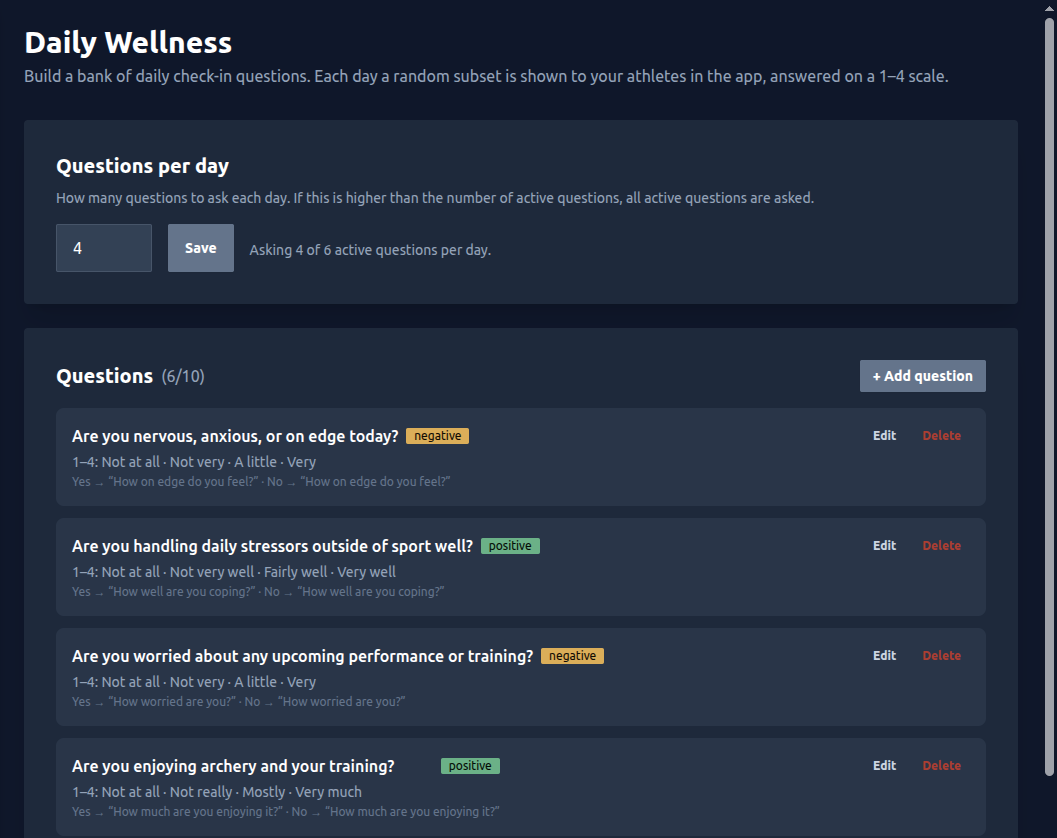
Open your team and choose Wellness from the sidebar. The page has two parts: a Questions per day setting and your question bank.
- Starting fresh? Click Add starter questions to drop in a recommended set of six (and set the per-day count to four) that you can edit or remove afterwards. Or choose Start from scratch to build your own.
- Questions per day controls how many of your active questions
each athlete is asked. Set it to
0to switch Daily Wellness off; the banner disappears from athletes' phones. - If the per-day number is higher than the number of active questions, every active question is asked.
The Recommended Starter Set
The one-click starter set is a balanced mix of three questions where a high answer is a concern and three where a high answer is a good sign. That balance is what makes the daily readout meaningful — see Reading the Results below.
| Question | A high answer means | Scale (1 → 4) |
|---|---|---|
| Are you nervous, anxious, or on edge today? | Concern | Not at all · Not very · A little · Very |
| Are you feeling physically or mentally exhausted or drained? | Concern | Not at all · Not very · A little · Very |
| Are you worried about any upcoming performance or training? | Concern | Not at all · Not very · A little · Very |
| Did you sleep well last night? | Good sign | Very bad · Badly · Good · Very good |
| Are you enjoying archery and your training? | Good sign | Not at all · Not really · Mostly · Very much |
| Are you handling daily stressors outside of sport well? | Good sign | Not at all · Not very well · Fairly well · Very well |
Writing Your Own Questions
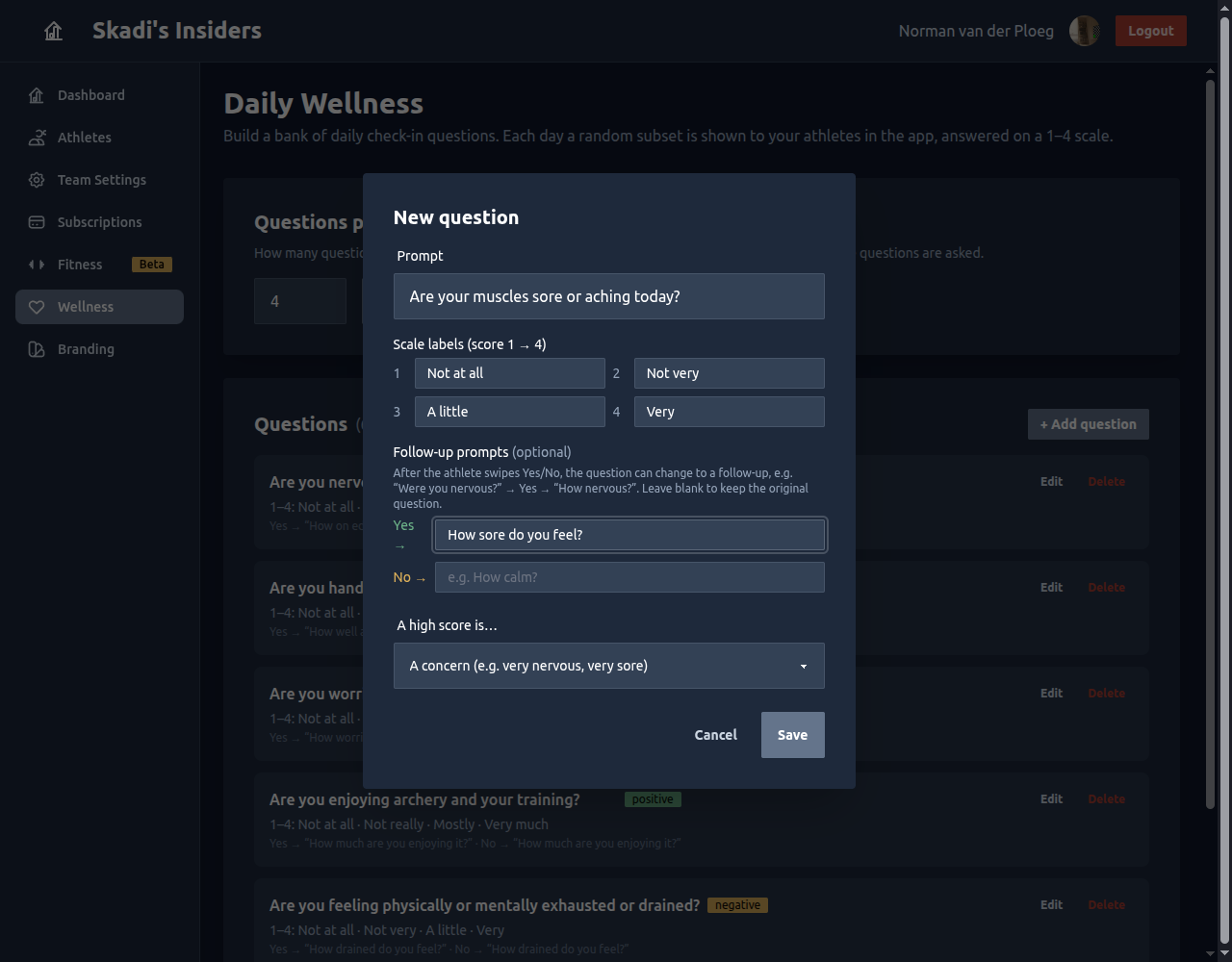
Click + Add question (or Edit on any existing one) to open the editor. A team can have up to 10 active questions.
Prompt
The yes/no question the athlete sees first, e.g. “Are you nervous, anxious, or on edge today?” Keep it short — it has to read at a glance on a phone.
Scale labels (1 → 4)
Every answer is a 1–4 score; these four words are what the athlete sees when they refine their answer. Match them to the question's direction — a sleep question reads best as Very bad → Very good, a nerves question as Not at all → Very.
Follow-up prompts (optional)
After the athlete swipes Yes or No, the card can change to a follow-up so the intensity step reads naturally — “Are your muscles sore today?” → Yes → “How sore do you feel?” Leave them blank to keep showing the original prompt.
A high score is…
This is the most important setting. Tell Skadi's Edge whether a high (score 4) answer is:
- A concern — e.g. very nervous, very sore, very drained. High answers pull the athlete's daily balance down.
- A good sign — e.g. very rested, very motivated. High answers push the balance up.
⚠️ Getting this wrong inverts an athlete's reading. Double-check that “A high score is…” matches the wording of your prompt and scale labels.
Recommended Settings
- Ask 3–4 questions per day. That keeps the check-in under ~15 seconds, which is what keeps athletes doing it every day.
- Keep a bank of 6–10 questions. A pool larger than the daily count means the subset varies day to day and stays fresh.
- Balance concern and good-sign questions. A roughly even mix (the starter set is 3 + 3) makes the daily Balance number meaningful in both directions.
- Use follow-up prompts for anything phrased as yes/no — the intensity step reads far more naturally.
What Your Athletes See
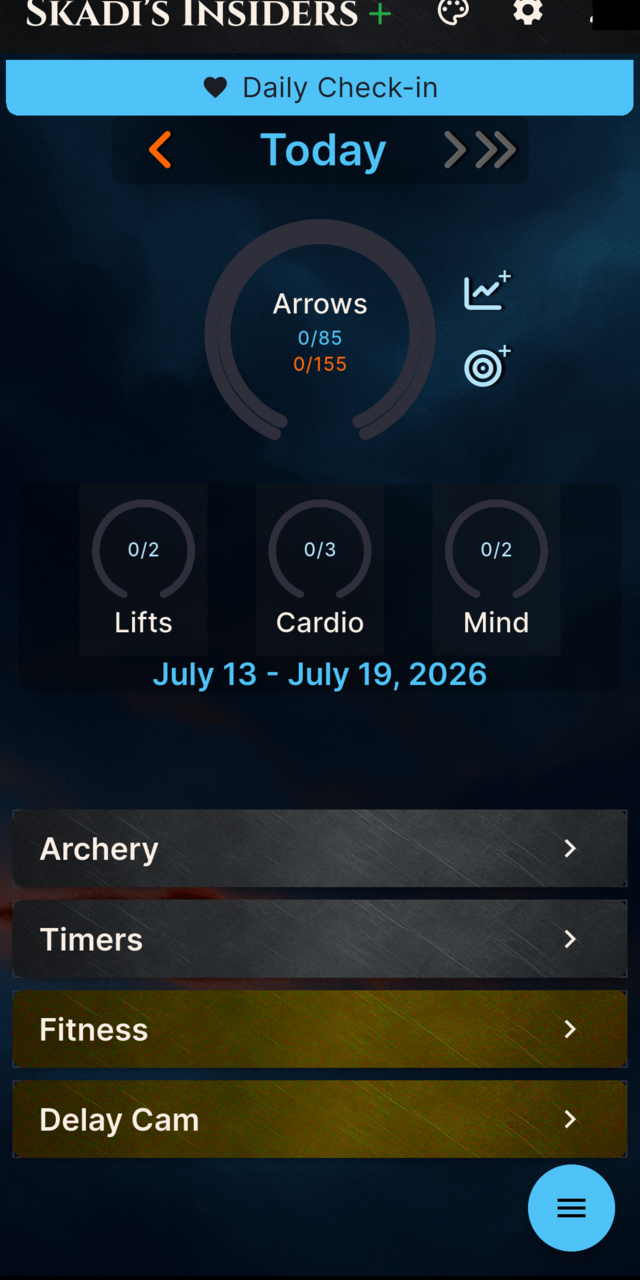
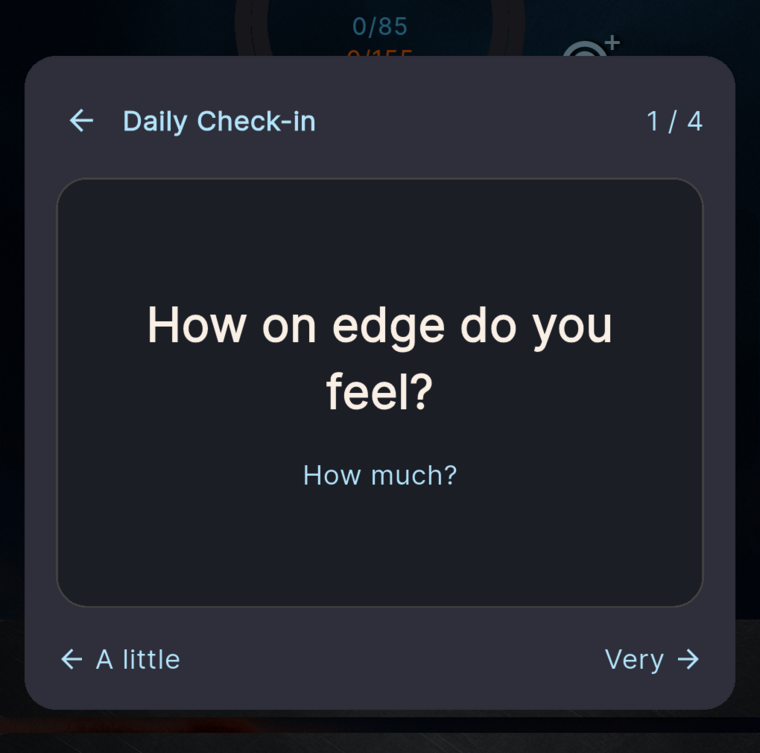
When there are questions to answer, a blue Daily Check-in banner appears at the top of the athlete's home screen. Tapping it opens a quick, swipe-based flow.
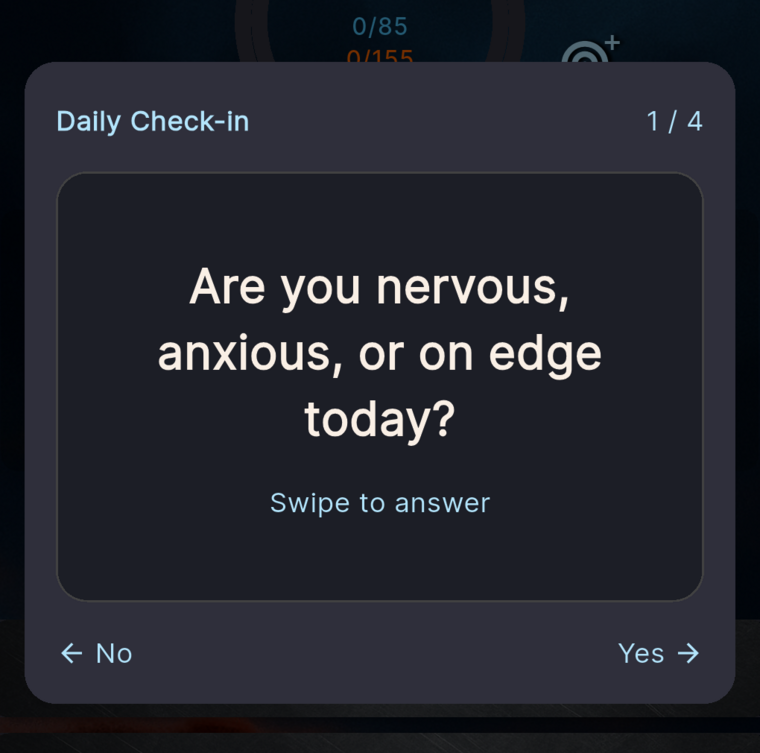
Each question comes in two quick steps. First a Yes / No swipe,
then a “how much?” refinement — together they land on the 1–4
score. A back arrow lets them correct a mis-swipe, and a counter (e.g. 1 / 4) shows how many are left.
Reading the Results
Open an athlete from your Athletes list and choose the Wellness tab. You get a daily Balance trend plus summary cards for the selected window (30 days, 90 days, or all time).
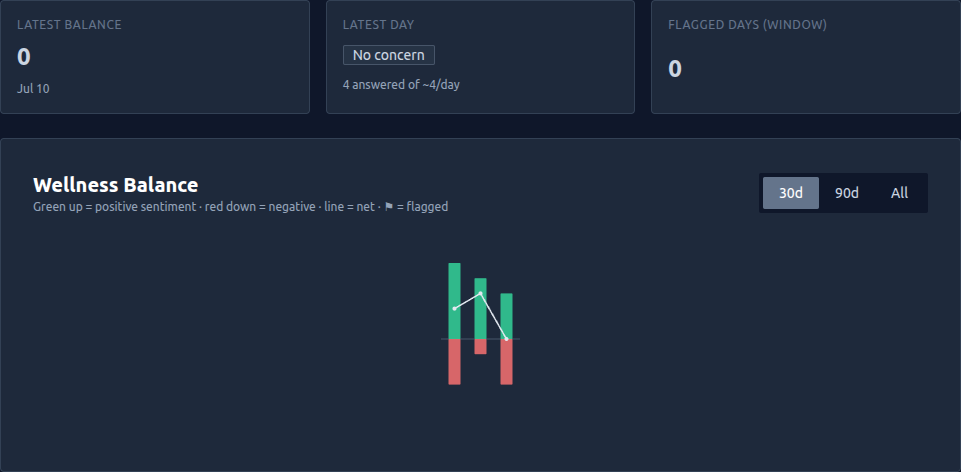
- Balance is the day's net sentiment. Good-sign answers stack up (green), concern answers stack down (red), and the line is the net — above zero is a good day, below zero a rough one.
- Flagged days are marked with a ⚑ when several answers point the concerning way on the same day — a cue to check in, not a diagnosis.
- The summary cards show the latest day's balance, whether it was flagged, and how many days in the window were flagged.
A balanced bank (concern + good-sign questions) is what lets Balance move both up and down. A bank of only concern questions can only ever trend downward.
Editing & Removing Questions
- Edit updates a question in place — its history stays intact.
- Delete retires a question: it won't be asked again, but past answers are kept so your existing trends don't change.
- Changing Questions per day takes effect from the next day; a check-in already generated for today isn't resized.